 RxLog Docs
Integrations
Connect outside tools and data sources to RxLog so their logs flow into the platform.
Integrations link RxLog to the tools you already use. Once connected, their data flows in and becomes searchable alongside the rest of your logs. RxLog supports many sources, such as SentinelOne, CrowdStrike, Cloudflare, Prometheus, and Windows Event Logs.
How it works
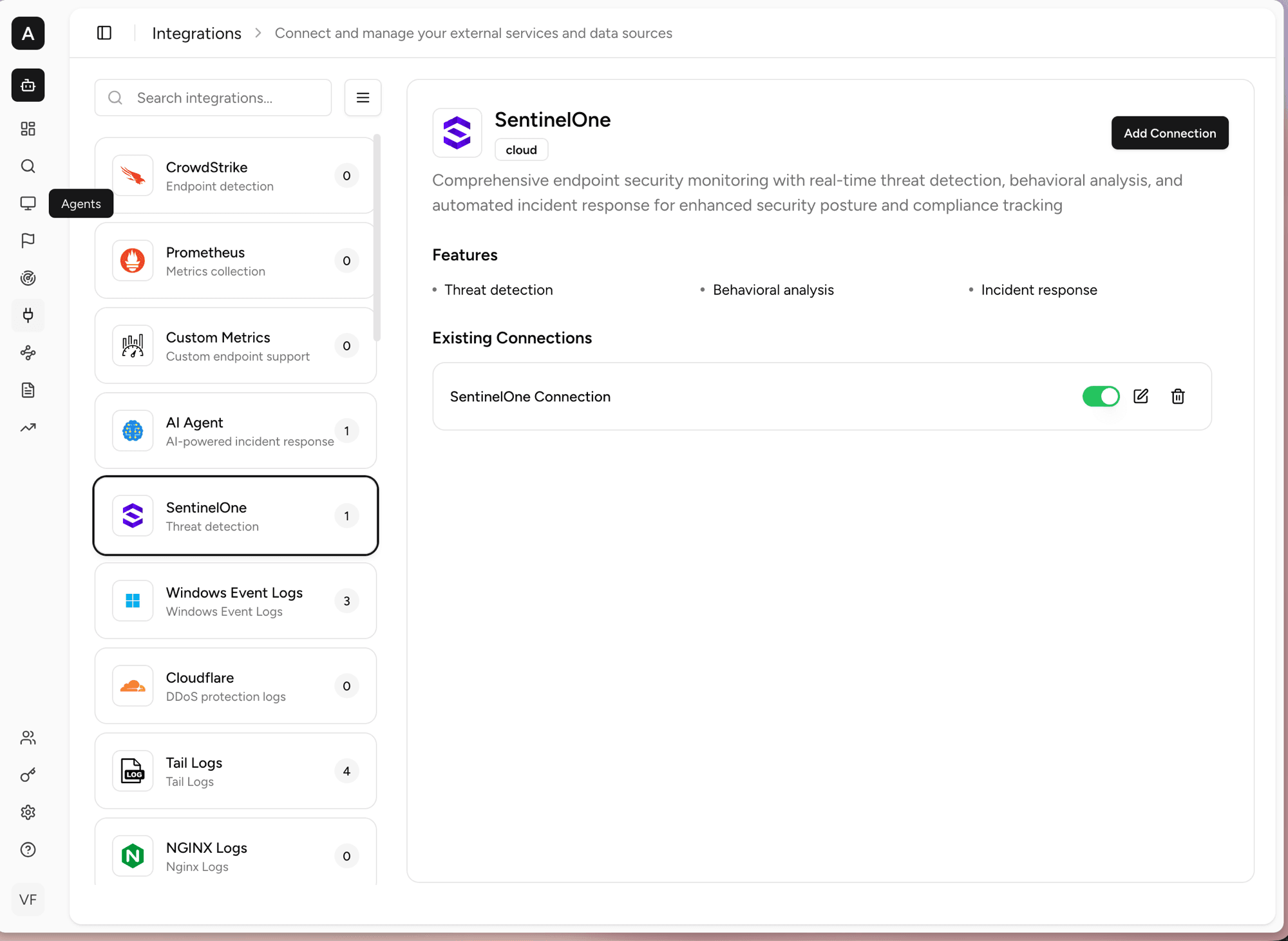
The left list shows every available integration. The number on each card is how many connections you have for that source. Click an integration to see what it does, the features it pulls in, and any connections you have set up.
In the example above, SentinelOne is selected. The detail panel shows what the integration does and the kinds of data it brings in, while the Existing Connections area lets you turn a connection on or off, edit it, or delete it.
Connections
Multiple connections per integration
A single integration is not limited to one connection. You can add as many connections as you need for the same source, and each one is fully independent:
- Different consoles. Point each connection at its own Console Url, so one integration can pull from several consoles, tenants, or regions at once.
- Different keys. Every connection has its own API Key, so you can scope access per environment (for example, separate keys for production and staging) and rotate one without touching the others.
- Different data and names. Each connection has its own Connection Name and its own data-type toggles, so different connections can collect different things from different sources.
- Independent control. Enable, pause, edit, or delete one connection without affecting the rest. The count on the integration card reflects how many connections you have for that source.
This lets you fan one integration out across multiple accounts or business units while keeping their credentials and settings separate.
Adding and editing a connection
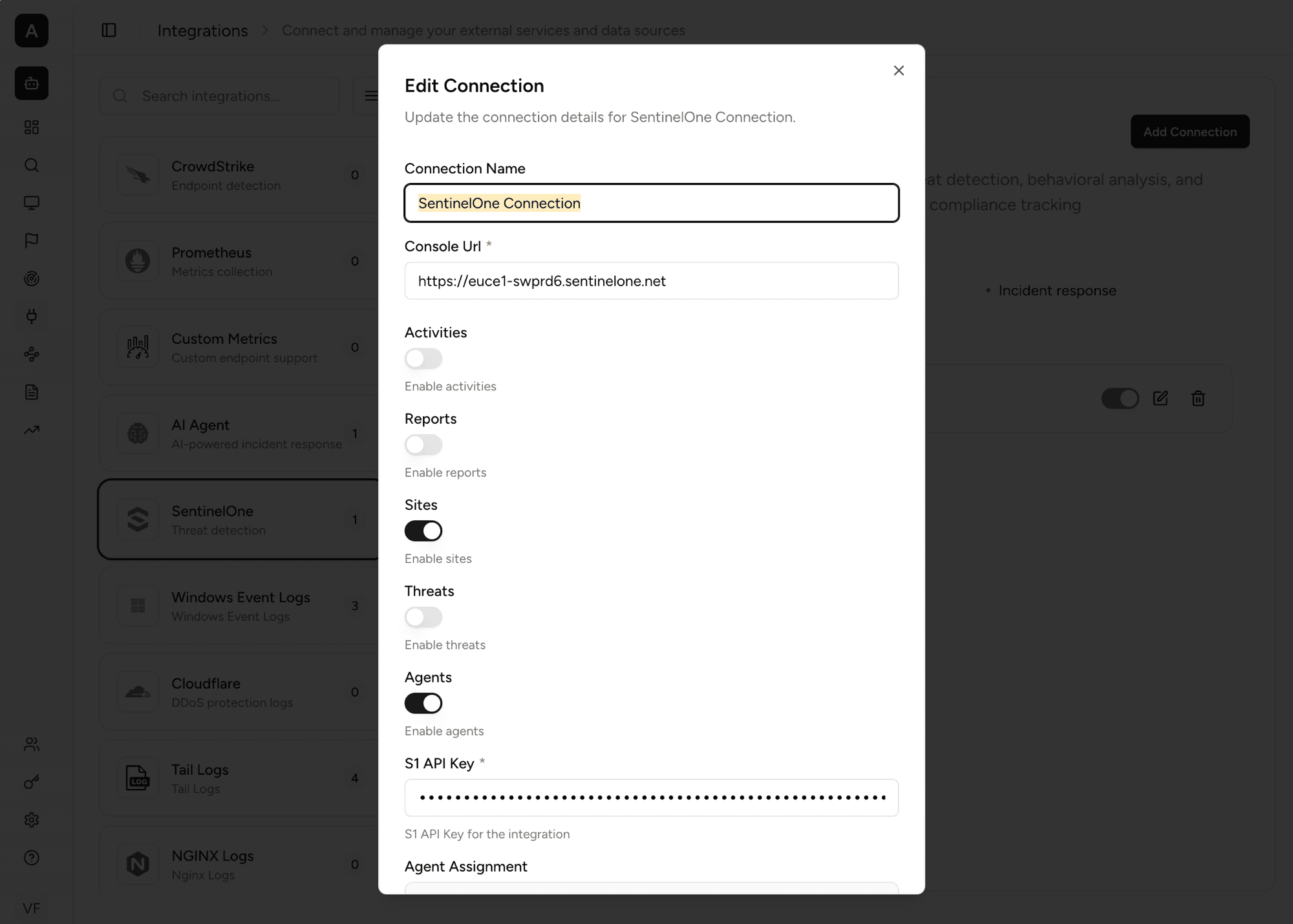
A connection's settings control what data it pulls and how it reaches the source:
- Connection Name. A label so you can tell connections apart.
- Console Url. The address of the console this connection talks to.
- Data-type toggles. Switches for the kinds of data you want to collect. The available types depend on the integration — turn on only what you need.
- API Key. The key RxLog uses to authenticate with the source.
Use the toggle in Existing Connections to pause a connection without deleting it. This stops new data while keeping your settings.