 RxLog Docs
Incidents
Incidents group related detections into one case so you can triage, investigate, and resolve threats.
An incident is a case built from one or more detections. It is where you do the real work of responding to a threat: read the evidence, judge how serious it is, and decide what to do. RxLog can also triage and write up incidents for you with AI.
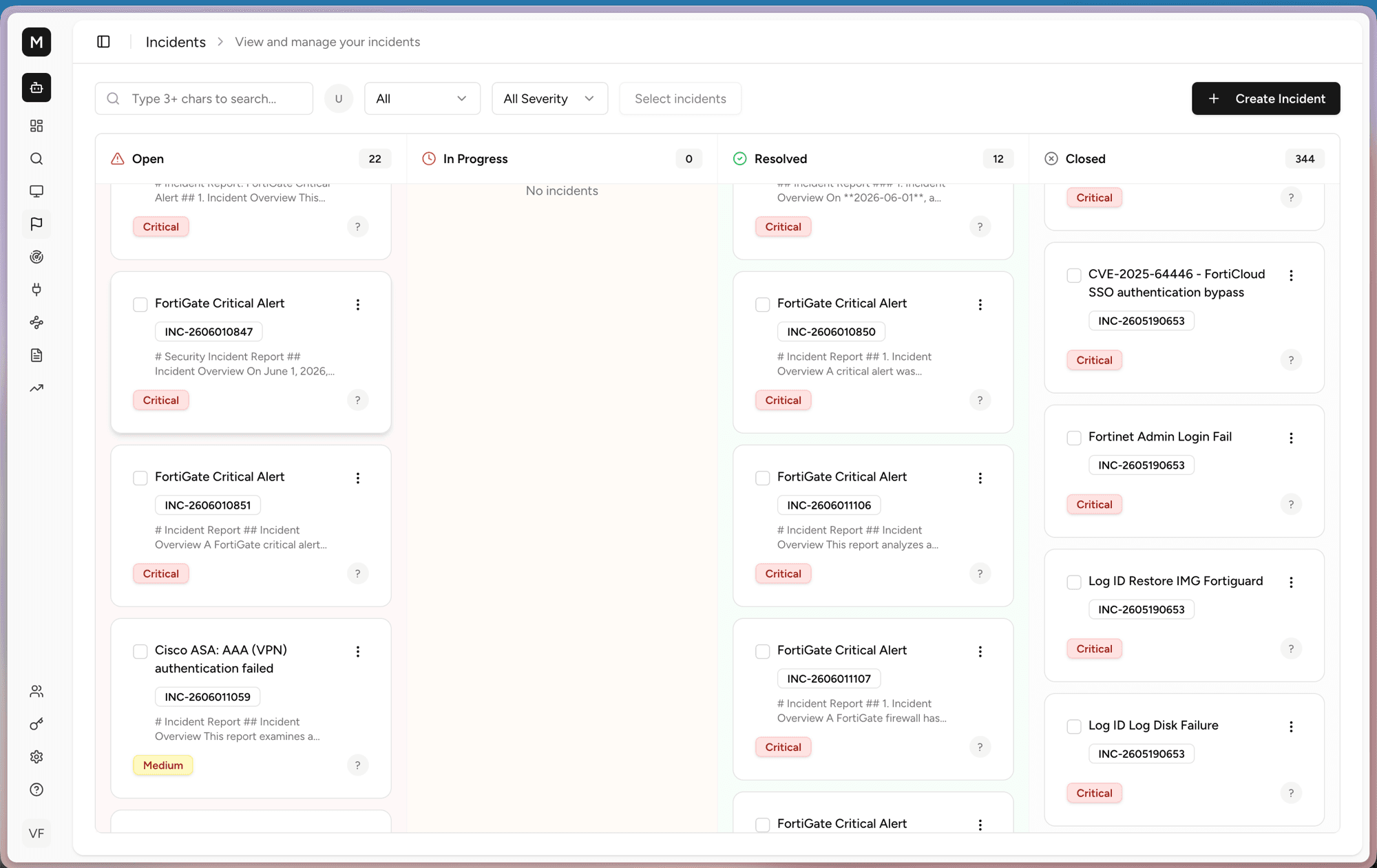
The incident board
The board sorts every case into four columns: Open, In Progress, Resolved, and Closed. Each card shows the incident title, its ID, a short preview, and its severity. You can search, filter by status and severity, and create incidents by hand.
Drag a card between columns to move a case through its lifecycle.
Inside an incident
Open a card to see the full report. RxLog can generate this report for you with Generate AI Description.
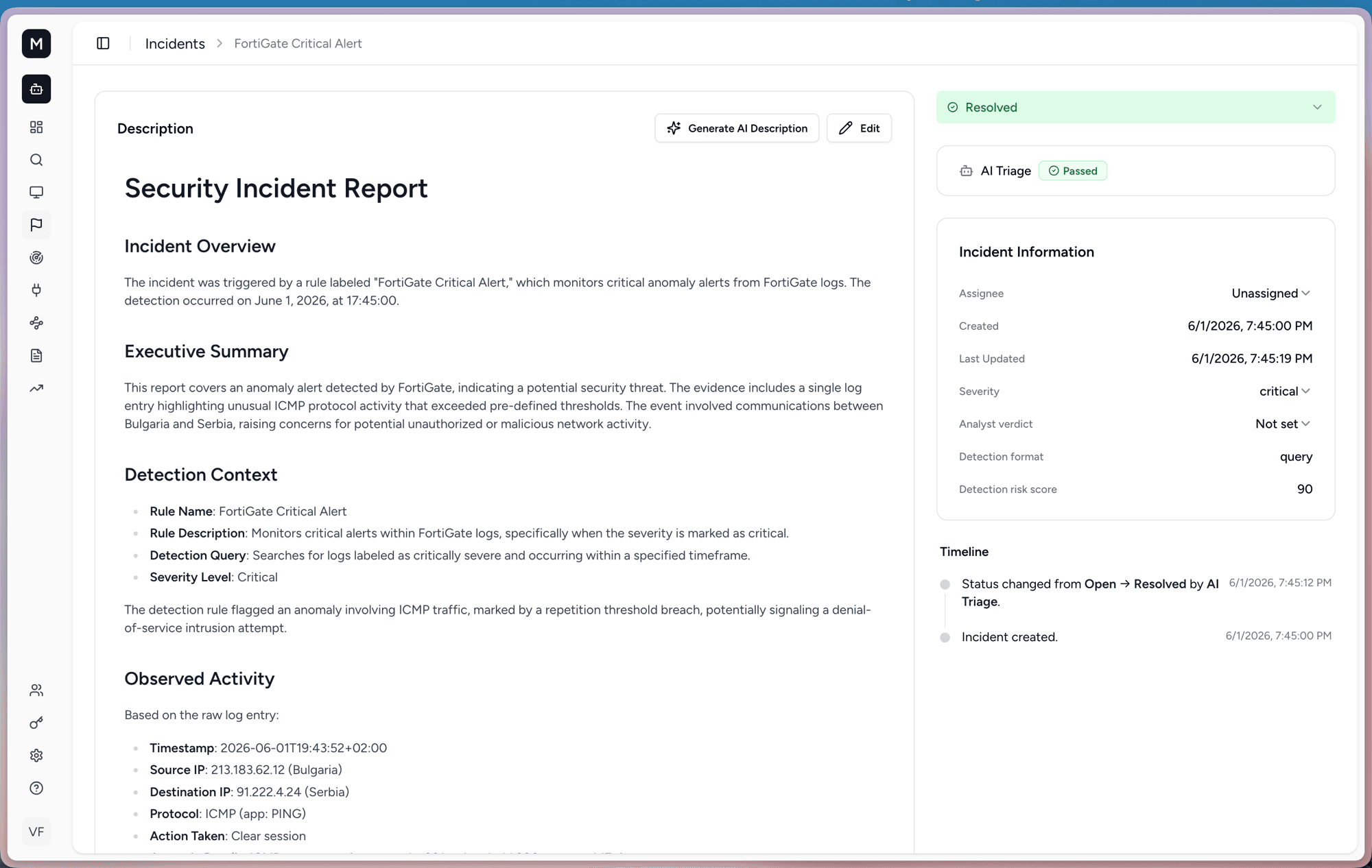
The report covers the overview, an executive summary, the detection context, and the observed activity, such as source and destination IP, protocol, and the action taken. On the right you get Incident Information, the AI Triage result, and a Timeline of every status change.
AI assistance
AI triage
RxLog can triage an incident on its own. The AI assistant posts a classification in the comments.
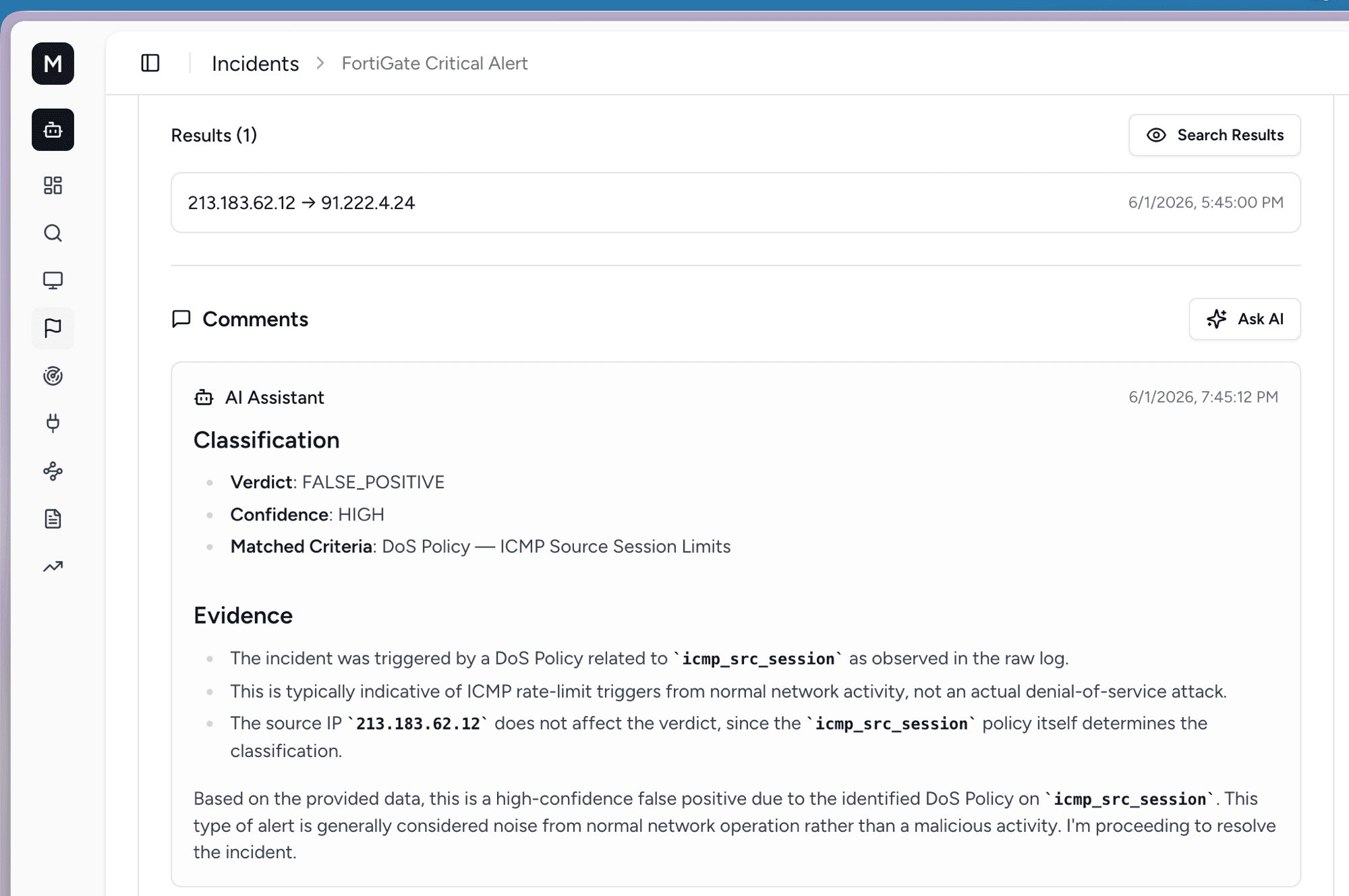
The verdict tells you whether the case is a real threat or a false positive, how confident the AI is, and the evidence behind the call. In the example above, the incident is a high-confidence false positive, so it was resolved automatically.
Ask AI for next steps
For cases that need a human, open Ask AI to get guidance.
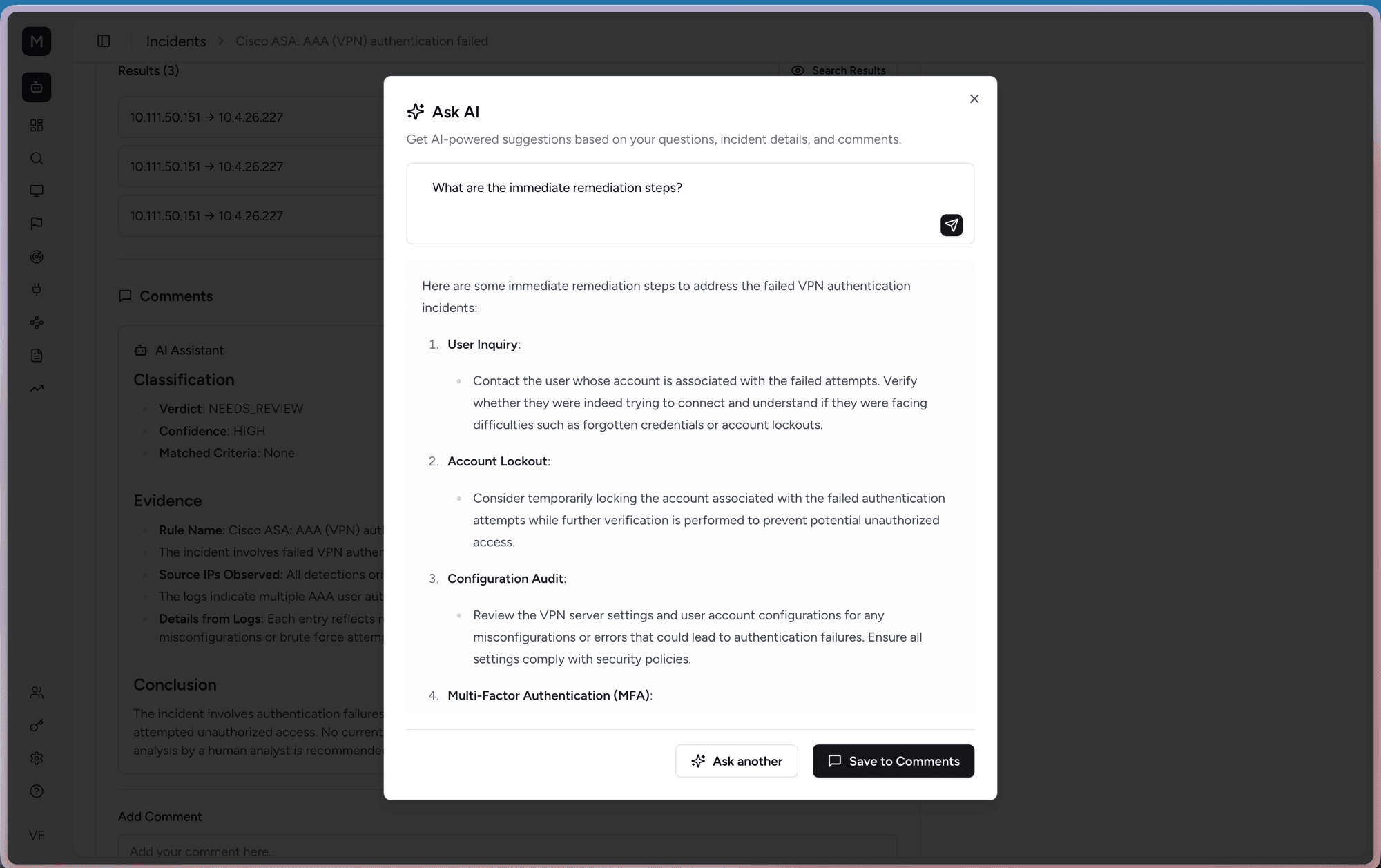
Type a question like "What are the immediate remediation steps?" and the assistant suggests concrete actions. You can save its answer to the comments so the whole team sees it.