 RxLog Docs
Active Response Pipelines
Active Response Pipelines react to detections and incidents automatically, so RxLog takes action the moment a threat is found.
An Active Response Pipeline is an automated flow that turns a detection or incident into action. When a detection fires or an incident is raised, the pipeline runs its steps on its own — enrich the event, create an incident, send an alert, or push the data to another system. This is how RxLog responds to threats without anyone clicking a button.
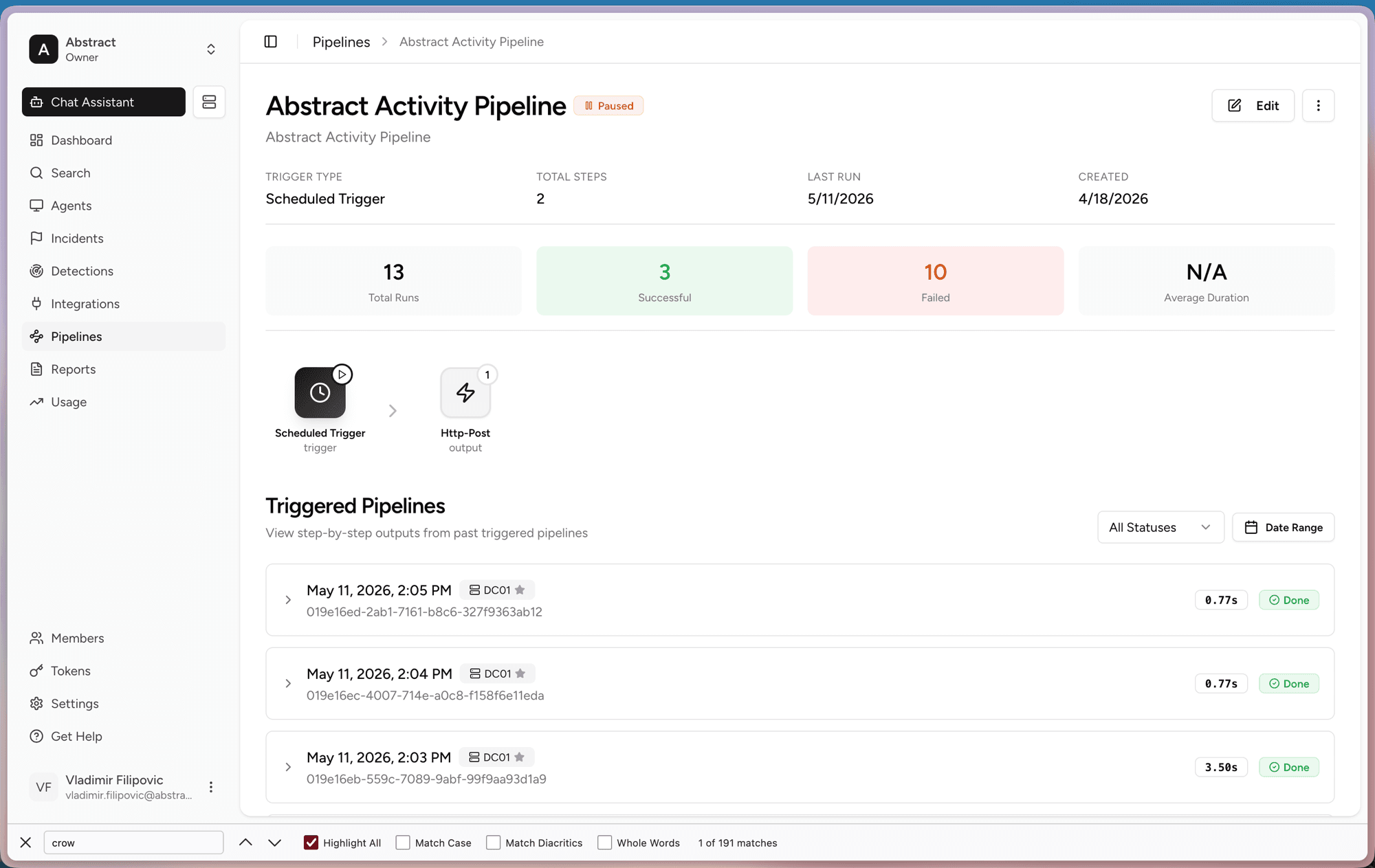
How a pipeline works
What a pipeline looks like
The top of the page shows the basics: the Trigger Type, the number of Total Steps, the Last Run, and when it was Created. The cards below count total runs, how many succeeded, how many failed, and the average duration.
In the middle you see the flow itself: a trigger that feeds into one or more steps. Steps run left to right.
Triggering on detections and incidents
A pipeline starts with a trigger. For active response, the key one is the Detection Trigger, which runs the pipeline the moment a detection matches. From there the steps decide what happens next — the most common being:
- Detect Threats. Run detection rules as part of the flow.
- Create Incident. Open an incident so the case lands on the board.
- Send Alert. Notify your team that something fired.
- Enrich Data. Add context and threat intel to the event.
- Export Data. Push the result to an external system or webhook.
A Scheduled Trigger is also available when you want a pipeline to run on a recurring cron instead of in response to a detection.
Run history
The Triggered Pipelines list shows every past run. Each entry has a timestamp, the source, how long it took, and whether it finished. Open a run to view its step-by-step output. Filter by status or date range to find a specific run.
How to use it
A pipeline can be Paused. While paused it keeps its setup but does not run. Resume it when you want it active again.