 RxLog Docs
Detections
Sigma detections
Sigma detections match logs in real time against a Sigma rule as the data arrives.
A Sigma detection uses a Sigma rule, a common open format for writing detection logic. RxLog matches these rules against your logs in real time as they are ingested. Sigma detections are best when you want to catch events the moment they happen.
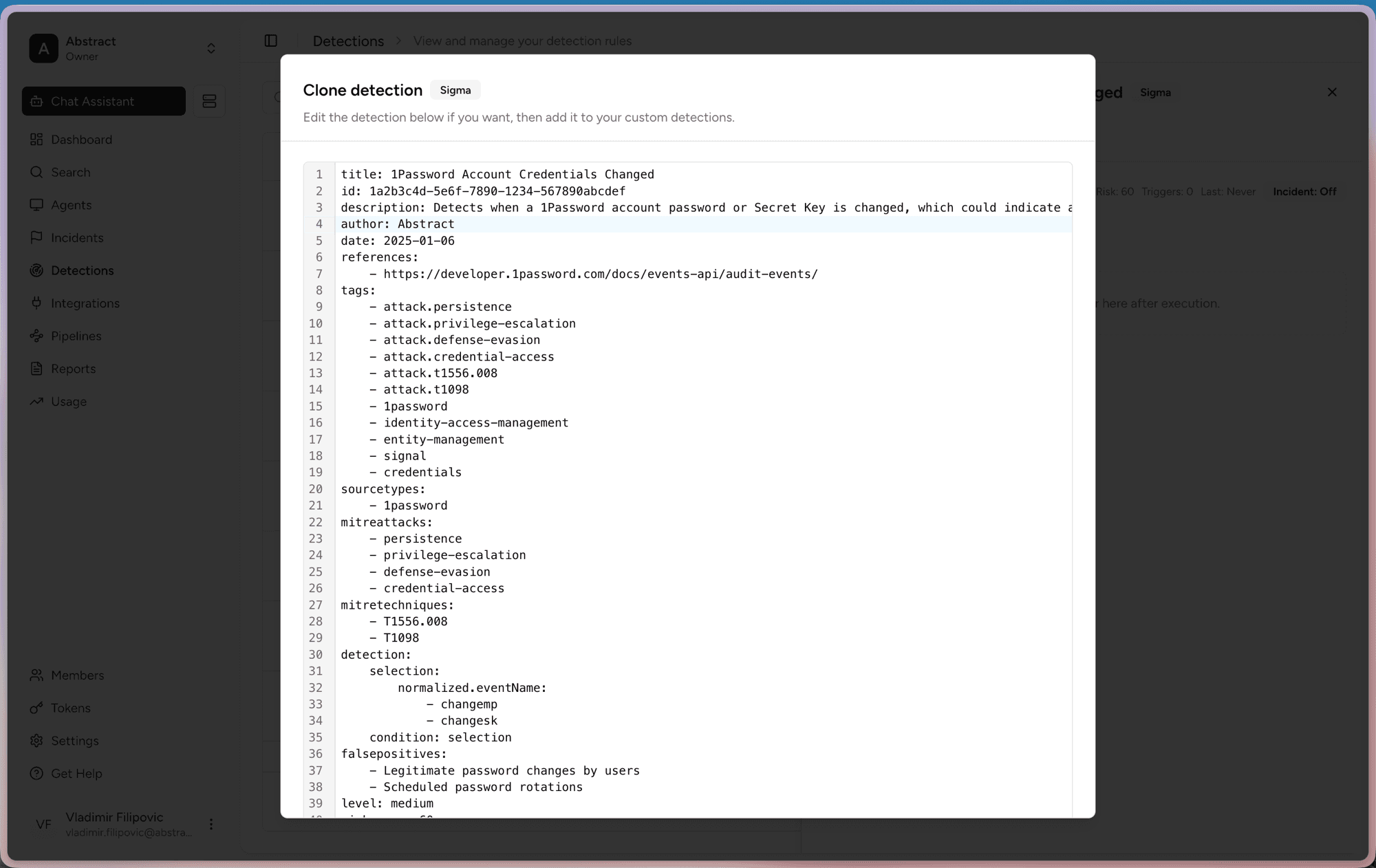
What a Sigma rule contains
A Sigma rule is written in YAML. The main parts are:
- title, id, description. What the rule is and what it looks for.
- tags, mitreattacks, mitretechniques. Labels that map the rule to known attack techniques.
- sourcetypes. Which log sources the rule applies to.
- detection. The match logic, with a
selectionblock and acondition. - falsepositives and level. Known noise and the severity of a match.
How to create one
You can write a new Sigma rule from scratch or, as with query detections, clone a library rule and edit its YAML. Cloning is the quickest start, but a blank rule gives you full control.
Open Detections. Click Create detection to start a new rule, or find a Sigma rule in the library to clone.
Click Create for a blank YAML editor, or Clone to open the editor pre-filled with the library rule.
Edit the detection block to match the events you care about.
Set the level and review the falsepositives notes.
Save the rule to add it to your custom detections.
Sigma rules run as logs arrive, so they alert faster than scheduled query detections. Use them for high-priority, real-time signals.