RxLog Docs
Overview
Detections are rules that watch your logs and raise an alert when something looks wrong.
A detection is a rule that runs over your logs. When the rule matches, it raises an alert. Alerts then group into incidents for you to review. RxLog ships a large library of ready rules, and you can build your own.
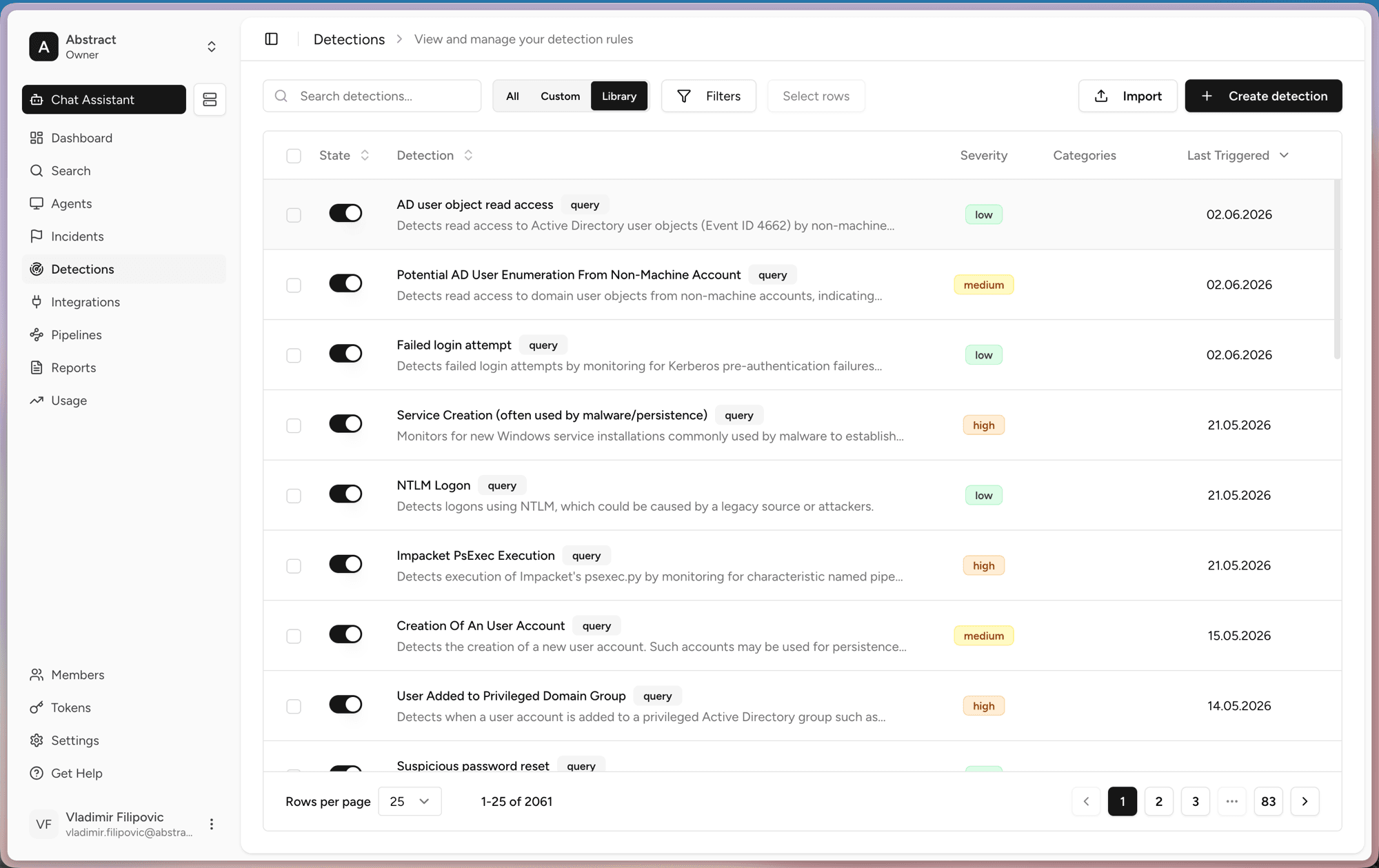
The detections page
The list shows every rule. For each one you can see:
- State. A toggle to turn the rule on or off.
- Detection. The rule name, a short description, and its type.
- Severity. How serious a match is, from low to high.
- Categories and Last Triggered. Context and the most recent match.
Use the All, Custom, and Library tabs to switch between your own rules and the shipped library. You can search, filter, import rules, or click Create detection to start a new one.
Two kinds of detections
RxLog has two detection types. They do the same job in different ways.
- Query detections run a SQL query on a schedule over stored logs.
- Sigma detections match logs in real time against a Sigma rule as they arrive.
Using detections
Enable a detection
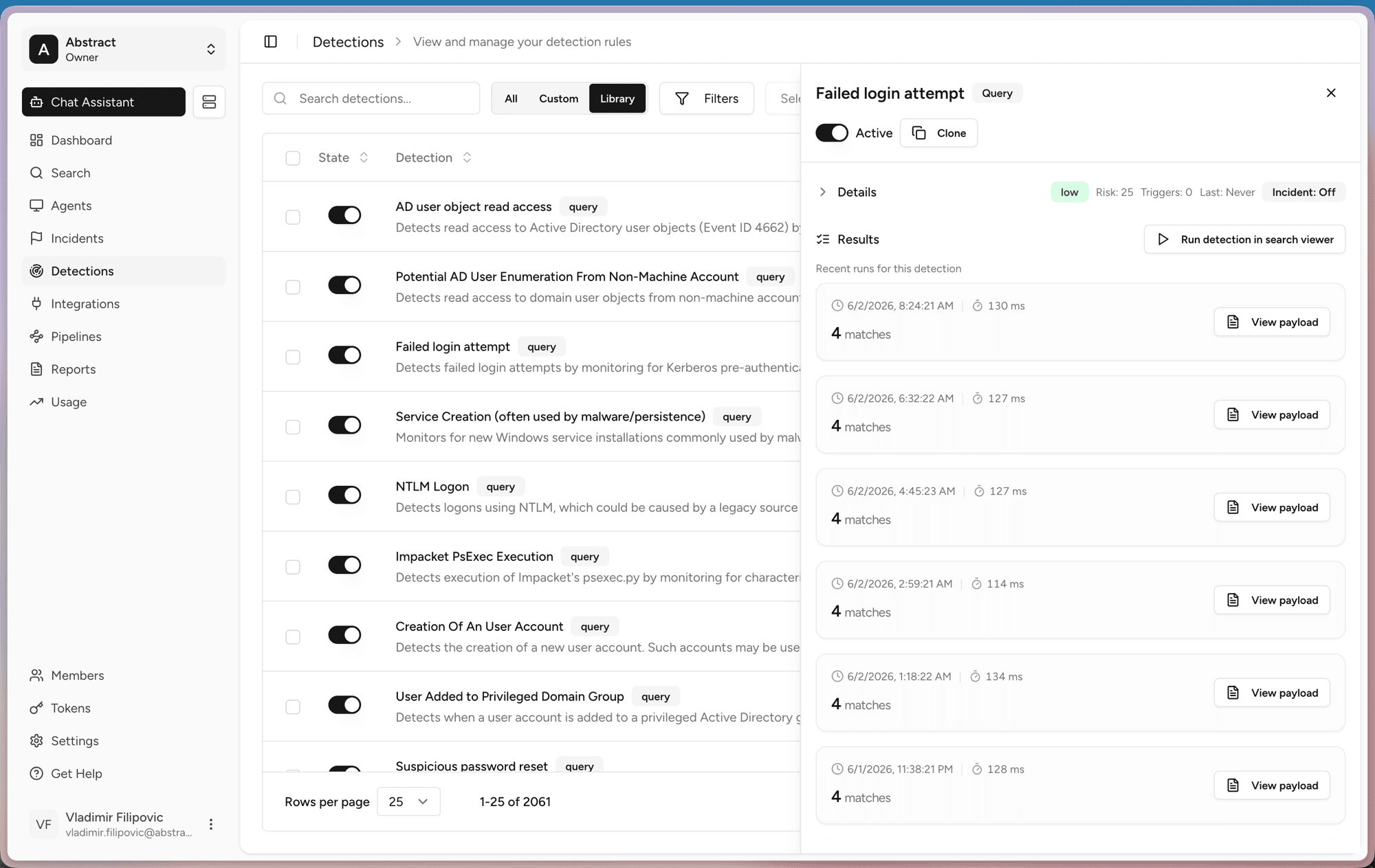
View results
Click a rule to open its detail panel. You can see recent runs, how long each run took, and how many matches it found. Run detection in search viewer opens the rule's query in Search so you can dig into the matches.